Nonprofit organizations handle complex cases that require meticulous tracking, collaboration, and reporting. Whether providing social services, healthcare, or community support, nonprofits need an efficient way to manage cases, client interactions, and program outcomes. That’s where program and case management software comes in. The right solution can streamline operations, improve client outcomes, and reduce administrative burdens, allowing nonprofits to focus on their mission. But with so many options available, how do you choose the best one?
10 Features to Consider when Selecting Case Management Software
1. Customizable Workflows and Forms
Every nonprofit in the United States operates differently, and flexibility is key when it comes to workflows and data collection. The best software should allow you to:
- Customize intake forms, assessments, and reports
- Automate client intake and service workflows
- Set up alerts and reminders to ensure important tasks aren’t forgotten
Customization ensures that the software aligns with the nonprofit’s specific needs rather than forcing them to adapt to rigid structures.
2. Services Tracking & Scheduling
Many nonprofits juggle multiple programs and services at once. Having a robust scheduling and tracking tool ensures clients receive the right services at the right time.
Key features to look for in a nonprofit case management software include:
- Embeddable registration calendars for seamless sign-ups
- Kiosk and mobile check-ins for quick attendance tracking
- Integrated email and text reminders to reduce no-shows
- Actionable dashboards for real-time case management
With automated scheduling, you can easily track client participation across different programs and ensure no one slips through the cracks.
3. User-Friendly Interface and Accessibility
Nonprofit staff and volunteers come from diverse backgrounds, and not everyone is tech-savvy. A user-friendly interface ensures that team members can efficiently navigate the system without extensive training.
Key aspects of usability include:
- An intuitive dashboard with easy navigation
- Mobile-friendly access for field workers
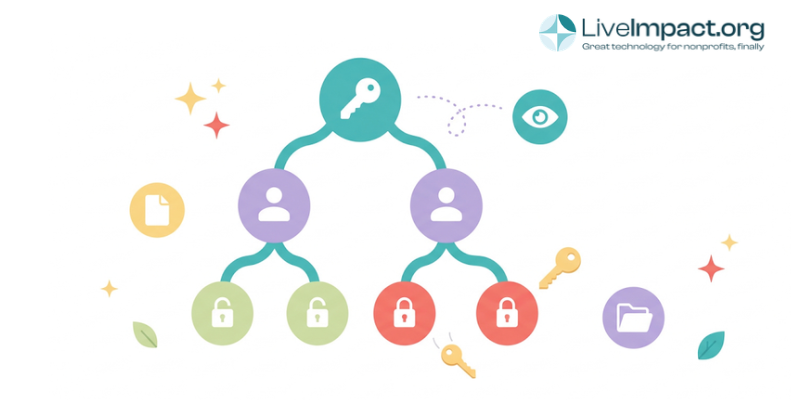
- Role-based permissions to control data access and security
Having a program and case management software for nonprofits that is easy to use minimizes errors, reduces frustration, and improves overall efficiency.
4. Comprehensive Case Management Tools
A holistic case management system allows nonprofits to track client progress, manage documentation, and streamline services. The goal is to have complete visibility into a client’s journey while making workflows efficient.
Features that enhance case management include:
- Customizable case notes tailored to your organization’s needs
- Goal and progress tracking to measure client impact
- Referral tracking to connect clients with additional resources
By integrating these tools, nonprofits in the United States can ensure better client outcomes while reducing administrative burden.
5. Volunteer and Donor Management Integration
Many nonprofit organizations rely on volunteers and donors for support. A nonprofit case management software that integrates volunteer and donor management features can:
- Track volunteer hours and assignments
- Manage donor contributions and engagement history
- Automate thank-you emails and donation receipts
Integration with a donor management system ensures that nonprofits maintain strong relationships with their supporters.
6. AI-Powered Assistance for Smarter Decision-Making
Artificial Intelligence (AI) is transforming how nonprofits operate. Modern software with AI capabilities can enhance efficiency, automate processes, and improve decision-making.
What AI-powered features should you look for?
- Decision Support to analyze data and guide caseworkers
- AI Smart Search for quick access to relevant case details
- Co-intelligence assistant to help teams optimize workflows
- Automated insights for better resource allocation
By leveraging AI-powered nonprofit case management software and actionable insights, nonprofits can deliver personalized client services while saving time and resources.
7. Advanced Reporting & Data Analytics
For nonprofits, demonstrating impact is crucial—whether for funders, stakeholders, or internal assessments. The right case management system should make outcomes reporting simple and insightful.
Look for software that provides:
- Customizable report generation to track key metrics
- Data visualization tools such as charts and graphs
- Real-time analytics to assess program effectiveness
With all data centralized in one place, nonprofits can make informed, data-driven decisions that improve program effectiveness.
8. Scalability and Cloud-Based Access
As nonprofits grow, so do their needs. A scalable, cloud-based solution ensures that organizations can:
- Add new users and expand storage capacity as needed
- Access data from anywhere, making it ideal for remote teams
- Reduce the need for expensive on-premise IT infrastructure
Cloud-based program and case management software for nonprofits also ensures that organizations stay up-to-date with the latest features and security updates without significant maintenance costs.
9. Easy Onboarding and Support
Adopting new software can be daunting, especially for nonprofits in USA with limited technical expertise. A good system should minimize the learning curve and make onboarding smooth for staff and volunteers.
Look for software that offers:
- Step-by-Step Onboarding – Built-in guides, tooltips, and tutorials help new users get up to speed without external support.
- Role-Based User Access – Different team members can access only the features they need, reducing confusion and potential errors.
- Ongoing Support and Training – Live chat, extensive training sessions, and 24×7 support ensure staff always have access to assistance.
An easy-to-use case management software increases adoption rates, boosts productivity, and allows nonprofits to focus on their mission rather than struggling with technology.
10. Cost-Effective Pricing Model
Budget constraints are a reality for many nonprofits. The ideal software should offer:
- Flexible pricing plans that cater to small and large nonprofits
- No hidden fees for essential features
- all-inclusive pricing with unlimited administrators and feature usage
Many software providers offer discounts or free trials, allowing organizations to test the system before making a commitment.
Why is LiveImpact the Ultimate Case Management Software?
With LiveImpact, you gain access to an intuitive system that allows you to capture and manage all relevant data in one place. Whether you’re tracking service delivery, client progress, or documenting interactions, LiveImpact provides a centralized view that eliminates the need for scattered spreadsheets or paper records. This means your team can make real-time updates, ensuring that no detail is overlooked.
Additionally, LiveImpact enhances communication by offering integrated messaging, shared calendars, and real-time updates. Your team can easily coordinate, assign tasks, and stay in sync with important deadlines. By centralizing communication, LiveImpact ensures that everyone involved in case management stays connected and informed.
The system’s powerful reporting and analytics tools allow you to track key performance indicators, measure impact, and demonstrate results to stakeholders. Customizable reports help you showcase your program’s effectiveness, making it easier to secure funding and support from donors.
Nonprofits in the U.S. deal with sensitive data, and it’s crucial to ensure compliance with industry regulations such as HIPAA or GDPR. With end-to-end encryption and role-based access control, LiveImpact safeguards client information, ensuring it’s only accessible to authorized personnel.
With its user-friendly interface and robust features, it’s the ideal solution for organizations looking to enhance their operations and focus more on their mission. Start exploring LiveImpact’s program and case management software today and see the difference for yourself!