Running a nonprofit is no small feat. Between managing client services, communicating with stakeholders, and keeping track of countless tasks, effective collaboration can make or break a team’s success. For nonprofits that handle sensitive information and complex workflows, staying organized and coordinated is essential. That’s where modern case management software plays a critical role.
These platforms are no longer just digital filing cabinets. Today’s case management systems offer integrated collaboration tools that help nonprofit teams communicate better, reduce duplication, and ensure that no client or task falls through the cracks.
In this blog, we’ll explore how the right software can enhance communication and coordination across your nonprofit team—and why that matters now more than ever.
Why Collaboration Matters in Nonprofits
Nonprofits often juggle limited resources, high caseloads, and urgent needs. Staff and volunteers may work remotely, in the field, or across multiple offices. This distributed nature makes communication challenging.
Without a clear system for sharing updates or managing client interactions, teams risk operating in silos, leading to inefficiencies, misunderstandings, and ultimately, gaps in service delivery. Collaboration isn’t just about convenience—it’s about outcomes. Better coordination ensures that clients receive the right support at the right time.
For teams, it creates a sense of shared purpose, reduces burnout, and builds trust in the system. In this context, having reliable tools to support internal workflows is key.
Case Management Software as a Central Hub
Modern software is designed to bring everything under one roof. Instead of juggling spreadsheets, email chains, and sticky notes, nonprofit teams can use one platform to track cases, manage documents, and communicate internally. This centralization reduces redundancy and ensures everyone has access to real-time information.
Key features like shared case notes, task tracking, document uploads, and client history logs allow teams to work collaboratively without having to constantly switch tools or search for the latest update. The result is a more unified, informed team and a more consistent experience for the people you serve.
Real-Time Communication Tools
One of the biggest game-changers in nonprofit case management software is the integration of real-time communication features. Built-in messaging, notifications, and comment threads help staff stay in sync.
For instance, if a caseworker needs input from a supervisor or another department, they can leave a comment directly on the case file. Notifications ensure the right person sees it quickly—no more waiting on an email reply or tracking someone down by phone.
Some platforms also support team chat channels, allowing groups working on similar programs or regions to share insights, ask questions, or coordinate tasks instantly. This kind of seamless communication helps nonprofits respond more quickly to changing situations and client needs.
Task Management and Accountability
A clear breakdown of responsibilities is vital in any collaborative environment. The best case management software often includes task assignment and tracking tools that make it easy to see who is doing what, and by when. Team members can assign tasks to colleagues, set deadlines, and monitor progress, all within the platform.
This level of transparency helps reduce confusion and missed steps. For managers, it offers a clear overview of workload distribution and performance, making it easier to identify bottlenecks or areas where support may be needed.
Secure Document Sharing and Storage
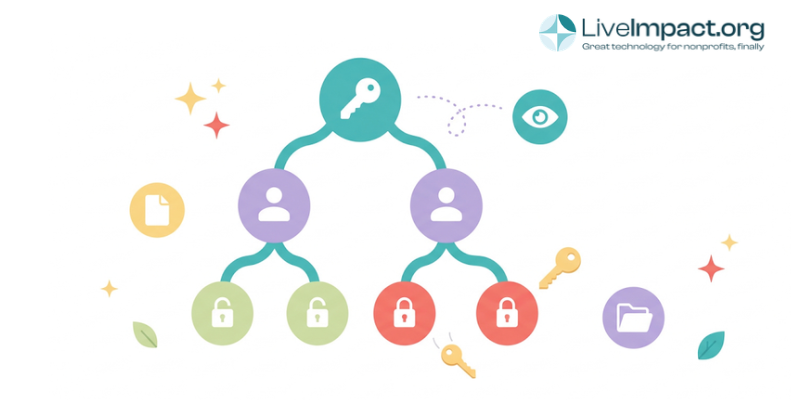
Nonprofits handle sensitive personal information, often bound by legal and ethical obligations. Sharing files securely while maintaining confidentiality is a top priority. Nonprofit case management software offer encrypted, centralized document storage with role-based access control. This ensures that only authorized users can view or edit specific files, minimizing the risk of data breaches or misuse.
Instead of sending files via email or storing them on unsecured drives, teams can upload documents directly to a case file. This not only keeps everything organized but also ensures that important documents are available when and where they’re needed.
Integrations with Other Tools
Effective collaboration sometimes means pulling data from other systems—email platforms, calendars, donor CRMs, or financial tools. The best case management software solutions now offer integrations with popular tools like Outlook, Google Workspace, and accounting software. This helps streamline workflows and reduces manual entry.
For example, syncing your calendar with the platform can allow caseworkers to schedule appointments directly from a client profile. Or linking your email can automatically save relevant correspondence to a case file, ensuring continuity even when team members change or are unavailable.
Improving Remote and Hybrid Work
With many nonprofit teams embracing hybrid or fully remote work models, having cloud-based software that supports virtual collaboration is essential. Nonprofit case management software designed with this flexibility in mind offer web-based access, mobile compatibility, and offline syncing capabilities. Whether staff are working from the office, from home, or on the go, they can stay connected and productive.
This adaptability also helps nonprofits attract and retain talent. Staff are more likely to feel supported and engaged when they have reliable tools that help them do their jobs efficiently from anywhere.
Training and Onboarding Made Easier
Onboarding new staff or volunteers can be time-consuming, especially when processes are inconsistent or undocumented. Case management systems help streamline this by standardizing workflows, providing built-in tutorials, and offering centralized resources. With everything housed in one place, new team members can get up to speed quickly and start contributing sooner.
Many platforms also offer user-friendly dashboards and customizable views that reduce the learning curve. When staff can easily find what they need, they’re less likely to make errors or need constant supervision.
How LiveImpact Supports Nonprofit Collaboration
LiveImpact is a robust nonprofit software designed specifically for organizations seeking to enhance internal collaboration and service delivery. It offers real-time communication tools, secure document sharing, task management, and customizable workflows—all within a cloud-based platform.
With built-in integrations and a user-friendly interface, teams can streamline operations while maintaining full visibility into each client’s journey. This nonprofit case management software also supports remote and hybrid teams with mobile accessibility and offline capabilities, making it ideal for field workers.
For nonprofits aiming to reduce silos and increase efficiency, LiveImpact serves as a centralized hub that strengthens both coordination and accountability.
Better Tools, Stronger Teams
Nonprofits rely on teamwork to drive impact. As demands grow and resources remain tight, having the right tools to support internal collaboration becomes not just helpful, but essential.
Case management software offers a powerful way to improve how your team communicates, coordinates, and delivers services. By adopting a platform that supports seamless collaboration, you can reduce administrative headaches, strengthen accountability, and ultimately serve your clients more effectively. In a sector where every moment counts, improving how your team works together is one of the most impactful changes you can make.