While working for a human services nonprofit, I went through the process of adopting new software. We needed a new software platform for case management and ended up deciding on Salesforce. It had a good reputation and offered 10 free licenses for nonprofits. We quickly found out, though, that getting the platform to a point where it was useful was far from free.
We started with the Nonprofit Success Pack (NPSP), which is meant to be tailored for nonprofits. In practice, it’s a bare-bones CRM. There were no tools for program tracking, no grant workflows, and not much beyond donor contact info. Everything else had to be built from scratch. That meant creating custom objects, fields, and automations just to track things like participant enrollment. Salesforce suggested we hire a third-party consultant; however, quotes ranged from $40,000 to $150,000, so our team decided to try and figure it out ourselves. “How hard can it be?” I thought. It turned out to be a lot harder than expected.
The Steep Learning Curve of Customizing Salesforce for Nonprofits
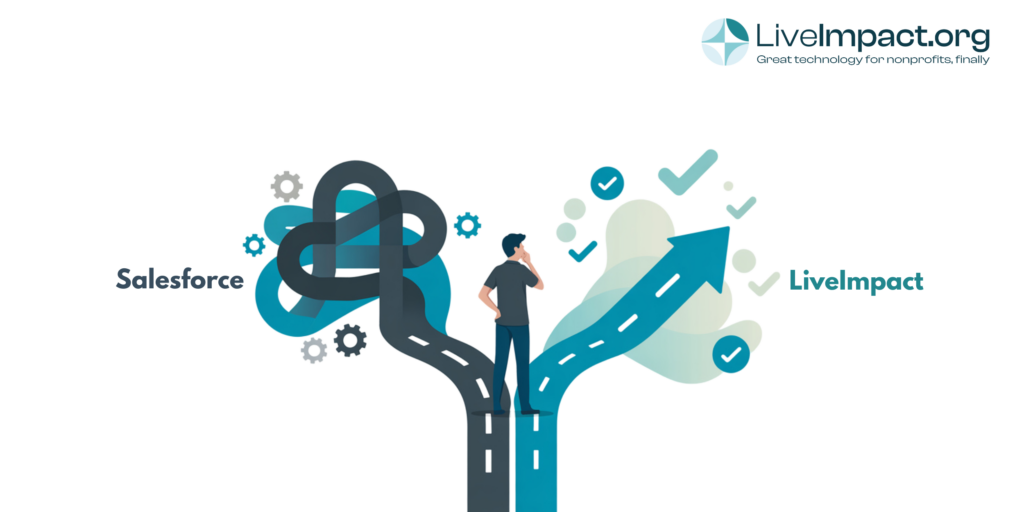
It quickly became clear why Salesforce recommended hiring a consultant, and why Salesforce consulting is a lucrative, full-time career for some. Learning Salesforce felt a bit like learning a new language. There were times we didn’t even know where to begin. Documentation was scattered, and there was not enough guidance for nonprofit-specific use cases. What I hoped would take weeks stretched into months. We delayed reports, struggled with data imports, and were hindered by the platform’s lack of flexibility once things were built.
LiveImpact: Customization Without the Headaches
Now, working at LiveImpact, I see how much easier CRM implementation and customization can be. The platform is designed specifically for nonprofits, so less customization is needed. When it is needed, though, the process is easy and seamless. During onboarding, our team helps clean and import data, configure workflows, and customize forms, often within a matter of days, not weeks or months. There are no outside consultants needed or surprise costs. You can start using the platform and seeing its benefits almost immediately.
If changes are needed after implementation, LiveImpact’s customization tools are intuitive. Want to change a field or build a form? You can easily do it yourself, no coding needed. And because features like donor tracking, volunteer management, and event coordination are already built in, there’s no need to stitch together multiple tools. Functions like grant tracking and relationship management, which required custom solutions in Salesforce, come pre-built in LiveImpact.
The difference in training and support is also stark. With Salesforce, I had to create all our training materials from scratch. At LiveImpact, we offer hands-on training and a comprehensive, easy-to-follow knowledge base. There is a reason customer support is so highly rated for LiveImpact on sites like G2. Nonprofit success on the platform is the top priority.
The Bottom Line
If your organization can hire a full-time Salesforce admin and a large tech budget, Salesforce might be the right fit. But for most nonprofits, the time, cost, and technical demands can be just too much. I’ve lived through both implementations. One took too long and more or less took over my life. The other takes a few weeks.
If you’d rather focus on running programs than customizing your CRM, LiveImpact has my vote as the right choice.
To learn more on how LiveImpact and Salesforce compare, you can visit this link for an in-depth comparison.